01
Always on
The Server stays on. Close the window or disconnect — your agents keep working.
 condrDownload ↗
One window for all your agents. Local or remote, step away and pick up where you left off.
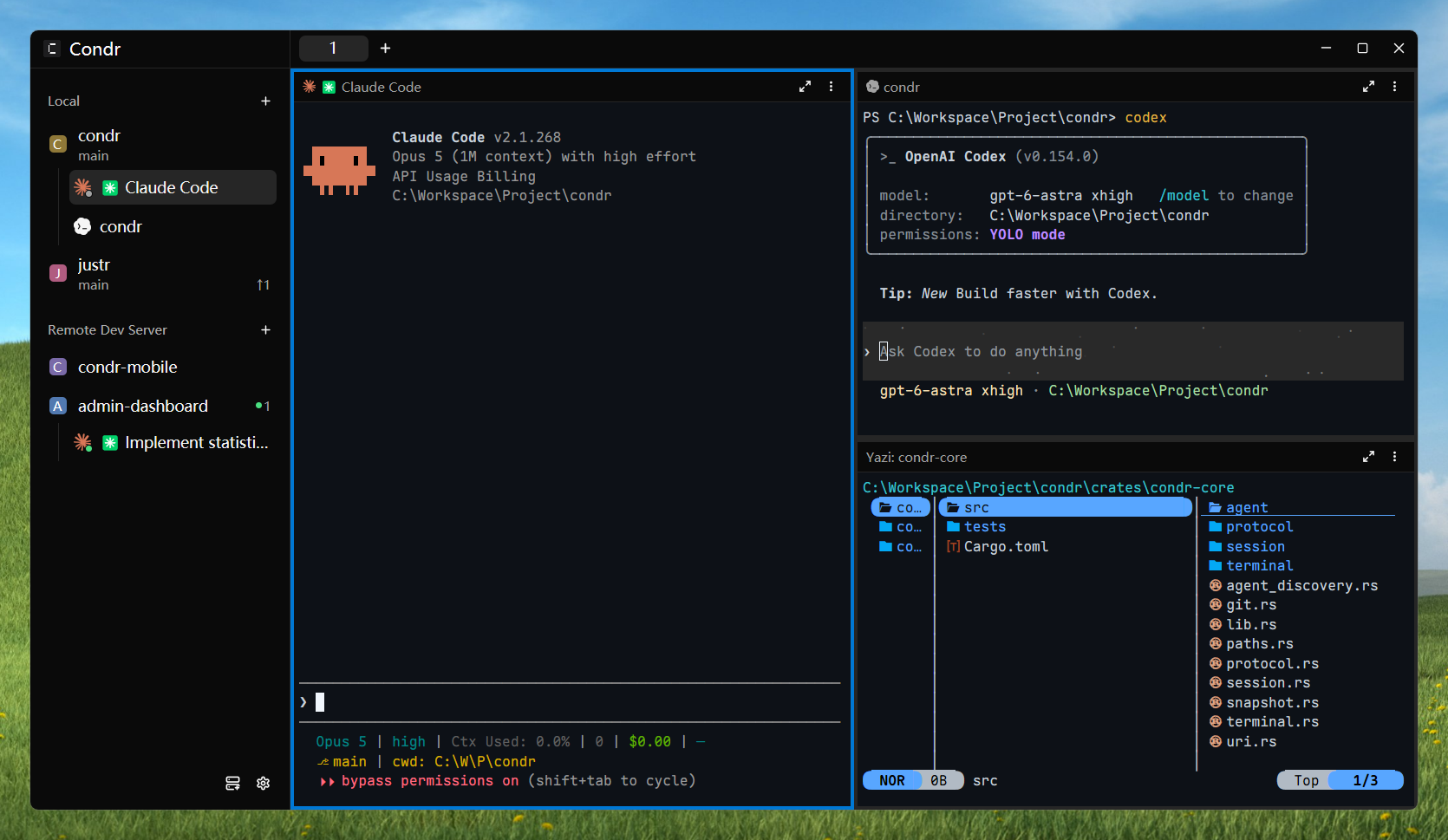
Everything in one window
Condr is a small native GUI for running Claude Code, Codex, and other CLI agents side by side. The work stays in real terminals. You get one clear view.
The Server stays on. Close the window or disconnect — your agents keep working.
Manage local and remote machines in one window. Connect over SSH or pair over TCP.
See every agent’s state in the sidebar. Get notified when work is done.
Agents can use Condr too: create panes, read output, assign tasks, and talk to each other.
Every pane is a real terminal powered by the alacritty core. Run any CLI program.
Built entirely in Rust. No Electron. Responsive even while agents are busy.
Connect your laptop to a headless build box over SSH, or pair devices with a short-lived invite over TCP. Condr keeps the same workspace model either way.
How the connection works →ssh://user@build-boxtcp://<server key>.<invite>@<host>:<port>TCP is off by default. Start the Server with --listen to enable it.
Desktop installers and headless server commands are available for the platforms you already use.
curl -fsSL https://condr.dev/install.sh | shcurl -fsSL https://condr.dev/install.sh | shirm https://condr.dev/install.ps1 | iexEarly development Packages ship with each dev tag. Client and Server must use the same build. View releases ↗
Condr is split into a headless core, a long-running server, and a native client. Each part does one job well.
Domain, protocol, PTY, VT, agent detection, and Git.
Sessions, terminal runtime, persistence, and connections.
A native client for rendering and interaction.
Open source, native, and ready when you are.